
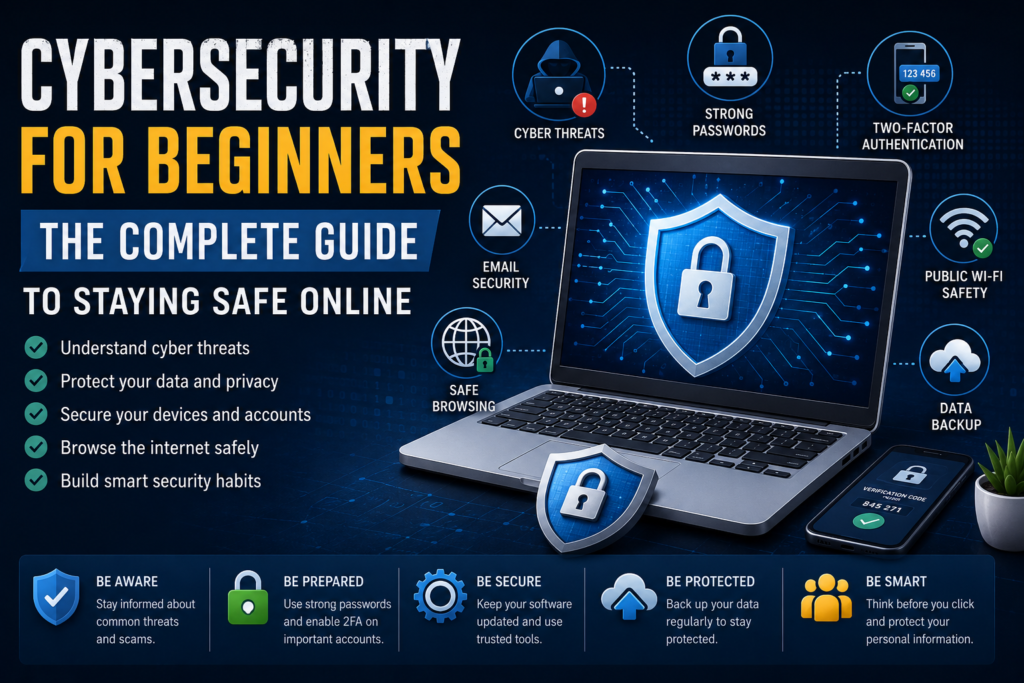

Cybersecurity for Beginners: The Complete Guide to Staying Safe Online
Meta Title: Cybersecurity for Beginners: Complete Guide to Staying Safe Online (2026)
Meta Description: Learn the fundamentals of cybersecurity, common online threats, password security, phishing prevention, safe browsing, and practical tips to protect your personal information online.
Focus Keyword: Cybersecurity for Beginners
Secondary Keywords:
- Cybersecurity Guide
- Online Security Tips
- Internet Safety
- Cyber Threats
- Data Protection
- Digital Security
- Cybersecurity Basics
- Personal Cybersecurity
SEO URL Slug
cybersecurity-for-beginners
Cybersecurity for Beginners: Everything You Need to Know to Stay Safe Online
The internet has become an essential part of our daily lives. We use it for banking, shopping, learning, working, communicating, and entertainment. While technology has made life easier, it has also created new opportunities for cybercriminals to steal personal information, spread malware, and exploit security weaknesses.
Every day, millions of people receive phishing emails, download unsafe files, or unknowingly visit malicious websites. The good news is that you don’t need to be an IT expert to protect yourself. By learning a few cybersecurity fundamentals and adopting safe online habits, you can dramatically reduce your risk of becoming a victim of cybercrime.
This beginner-friendly guide explains the basics of cybersecurity, the most common online threats, and practical steps you can take to keep your devices, accounts, and personal data secure.
Table of Contents
- What Is Cybersecurity?
- Why Cybersecurity Is Important
- Common Cyber Threats
- Types of Cyber Attacks
- Basic Cybersecurity Terms
- Password Security
- Two-Factor Authentication (2FA)
- Safe Internet Browsing
- Email Security
- Social Media Safety
- Smartphone Security
- Public Wi-Fi Safety
- VPN Basics
- Antivirus Software
- Data Backup
- Cybersecurity Checklist
- Frequently Asked Questions
- Final Thoughts
What Is Cybersecurity?
Cybersecurity is the practice of protecting computers, smartphones, networks, online accounts, and digital information from unauthorized access, theft, damage, or cyberattacks.
Think of cybersecurity as the digital equivalent of locking your home’s doors and windows. Just as physical security protects your belongings, cybersecurity protects your personal information, financial accounts, and online identity.
Cybersecurity isn’t only for businesses or governments. Every internet user benefits from understanding how to stay safe online.
Why Cybersecurity Matters
Cybercrime continues to evolve, and attackers increasingly target individuals as well as organizations. Personal information, passwords, financial details, and even social media accounts can all be valuable to cybercriminals.
Practicing good cybersecurity can help you:
- Protect personal information
- Prevent identity theft
- Secure online banking accounts
- Keep devices free from malware
- Avoid financial scams
- Maintain privacy online
- Protect family members from cyber threats
Small security improvements can make a significant difference over time.
Common Cyber Threats
Understanding common online threats is the first step toward protecting yourself.
Phishing
Phishing is one of the most widespread cyber threats. Attackers send fake emails, messages, or websites that appear legitimate to trick users into revealing passwords, banking details, or other sensitive information.
Warning signs include:
- Urgent requests for action
- Suspicious links
- Poor spelling or grammar
- Unexpected attachments
- Requests for passwords or payment details
Always verify the sender before clicking links or downloading files.
Malware
Malware is malicious software designed to damage devices, steal information, or spy on users.
Common types include:
- Viruses
- Worms
- Trojans
- Spyware
- Adware
- Ransomware
Keeping your operating system and security software up to date reduces the risk of infection.
Ransomware
Ransomware encrypts files on a device and demands payment to restore access.
Individuals and businesses alike can become victims if they download infected files or click malicious links.
The best protection includes:
- Regular backups
- Updated software
- Reliable antivirus protection
- Safe browsing habits
Identity Theft
Identity theft occurs when criminals use stolen personal information to impersonate someone for financial gain.
They may attempt to:
- Open bank accounts
- Apply for loans
- Make purchases
- Access online accounts
Protecting personal information helps reduce this risk.
Types of Cyber Attacks
Cyber attacks come in many forms. Some of the most common include:
Password Attacks
Hackers attempt to guess or steal passwords through data breaches or automated tools.
Social Engineering
Instead of attacking computers directly, cybercriminals manipulate people into revealing confidential information.
Data Breaches
Organizations sometimes experience security incidents that expose customer information such as email addresses or passwords.
If you hear about a data breach involving a service you use, change your password immediately.
Man-in-the-Middle Attacks
These attacks occur when criminals intercept information transmitted between a user and a website, often through insecure networks.
Basic Cybersecurity Terms
Understanding a few common terms makes cybersecurity much easier.
Firewall
A firewall monitors incoming and outgoing network traffic and helps block unauthorized access.
Encryption
Encryption converts information into unreadable code that can only be accessed with the correct key.
Authentication
Authentication verifies a user’s identity before granting access to an account or system.
VPN
A Virtual Private Network (VPN) encrypts internet traffic, improving privacy and security, especially on public Wi-Fi.
Multi-Factor Authentication (MFA)
MFA requires users to verify their identity using two or more methods, such as a password plus a verification code.
Create Strong Passwords
Passwords remain one of the first lines of defense.
Good passwords should be:
- Long
- Unique
- Difficult to guess
- Different for every account
Avoid using:
- Birthdays
- Pet names
- Phone numbers
- “123456”
- “password”
Instead, create passwords using a mix of:
- Uppercase letters
- Lowercase letters
- Numbers
- Special characters
A password manager can help generate and securely store complex passwords.
Enable Two-Factor Authentication (2FA)
Even strong passwords can be compromised.
Two-factor authentication adds an extra layer of security by requiring a second verification step, such as:
- Authentication app
- Security key
- Fingerprint
- Face recognition
- One-time verification code
Whenever possible, enable 2FA for email, banking, social media, and shopping accounts.
Browse the Internet Safely
Safe browsing habits reduce exposure to malicious websites.
Follow these best practices:
- Visit trusted websites
- Check for HTTPS encryption
- Avoid suspicious downloads
- Don’t click unknown links
- Keep browsers updated
- Use secure search habits
Taking a moment to verify a website before entering personal information can prevent many common scams.
Protect Your Email
Email remains one of the primary ways cybercriminals target users.
Improve email security by:
- Ignoring suspicious attachments
- Verifying unexpected messages
- Checking sender addresses carefully
- Using spam filters
- Avoiding unknown links
Remember that legitimate companies rarely ask for passwords through email.
Secure Your Social Media Accounts
Social media accounts often contain valuable personal information.
To improve security:
- Use strong passwords
- Enable two-factor authentication
- Review privacy settings
- Avoid oversharing personal details
- Accept friend requests only from people you know
- Be cautious when clicking links in messages
The less personal information you share publicly, the harder it is for scammers to target you.
Cybersecurity for Beginners: The Complete Guide to Staying Safe Online (Part 2)
Continue reading from Part 1
Secure Your Smartphone
Your smartphone stores a large amount of personal information, including contacts, emails, banking apps, photos, and passwords. Protecting it is just as important as protecting your computer.
Best Smartphone Security Tips
- Use a strong PIN, password, or biometric lock.
- Enable automatic software updates.
- Download apps only from trusted app stores.
- Review app permissions regularly.
- Turn on Find My Device or Find My iPhone.
- Avoid rooting or jailbreaking your device.
- Remove apps you no longer use.
Keeping your phone updated is one of the simplest ways to reduce security risks.
Stay Safe on Public Wi-Fi
Free Wi-Fi at airports, coffee shops, hotels, and shopping malls is convenient, but it can also expose your data if you’re not careful.
Risks of Public Wi-Fi
- Data interception
- Fake Wi-Fi hotspots
- Session hijacking
- Password theft
How to Protect Yourself
- Avoid logging into banking websites on public networks.
- Use websites that display HTTPS.
- Disable automatic Wi-Fi connections.
- Turn off file sharing when using public networks.
- Forget public Wi-Fi networks after use.
Treat public Wi-Fi as a convenience, not a trusted network.
What Is a VPN?
A Virtual Private Network (VPN) creates an encrypted connection between your device and the internet, helping protect your data from interception.
Benefits of Using a VPN
- Encrypts internet traffic
- Improves online privacy
- Helps secure public Wi-Fi connections
- Reduces the risk of data interception
- Masks your IP address from the websites you visit
A VPN is a useful privacy tool, but it should be combined with other good security practices rather than relied on as a complete solution.
Install Trusted Security Software
Security software can help detect and block many common threats before they cause harm.
Look for features such as:
- Malware detection
- Real-time protection
- Web protection
- Email scanning
- Ransomware protection
- Automatic updates
Remember that no security software is perfect. Safe browsing habits remain essential.
Back Up Your Important Data
Imagine losing years of family photos, work documents, or personal files because of hardware failure or ransomware.
Regular backups can prevent permanent data loss.
Backup Best Practices
- Back up important files regularly.
- Use both cloud storage and an external drive if possible.
- Test your backups occasionally to confirm they can be restored.
- Encrypt backups that contain sensitive information.
Having recent backups provides peace of mind and can reduce the impact of unexpected problems.
Recognize Online Scams
Cybercriminals often rely on psychology rather than advanced technology.
Be cautious if someone:
- Creates a sense of urgency.
- Promises unrealistic rewards.
- Requests gift cards or cryptocurrency.
- Asks for passwords or verification codes.
- Claims you’ve won a prize you never entered.
- Pretends to be from your bank or a government agency without verification.
When in doubt, contact the organization through its official website or customer service number instead of using information provided in a suspicious message.
Keep Your Software Updated
Software updates often include important security fixes that protect against newly discovered vulnerabilities.
Always keep these updated:
- Operating system
- Web browser
- Mobile apps
- Antivirus software
- Router firmware
- Password manager
Turning on automatic updates can help ensure you receive security patches promptly.
Cybersecurity Checklist
Use this checklist to strengthen your online security.
✅ Use unique passwords for every account.
✅ Enable two-factor authentication wherever available.
✅ Keep your devices updated.
✅ Back up important files regularly.
✅ Be cautious with email attachments and links.
✅ Review privacy settings on social media.
✅ Download software only from trusted sources.
✅ Use secure Wi-Fi whenever possible.
✅ Monitor financial accounts for unusual activity.
✅ Remove unused applications and accounts.
Following these habits consistently can significantly improve your overall security.
Common Cybersecurity Mistakes to Avoid
Even small mistakes can create opportunities for attackers.
Reusing Passwords
Using the same password across multiple accounts increases the impact of a single data breach.
Ignoring Software Updates
Delaying updates may leave your devices exposed to known vulnerabilities.
Clicking Unknown Links
Always verify links before clicking, especially if they arrive unexpectedly.
Sharing Too Much Personal Information
Avoid publicly sharing details such as your home address, phone number, travel plans, or answers to common security questions.
Trusting Every Website
Check the website address carefully before entering sensitive information, and look for signs that the site is legitimate.
Frequently Asked Questions
What is cybersecurity?
Cybersecurity is the practice of protecting devices, networks, accounts, and personal information from unauthorized access, attacks, and digital threats.
Why is cybersecurity important?
Cybersecurity helps protect your privacy, financial information, online accounts, and personal data from cybercriminals.
What is phishing?
Phishing is a scam where attackers impersonate trusted organizations or individuals to trick people into revealing sensitive information or downloading malicious files.
Is antivirus software enough to stay safe?
No. Antivirus software is an important layer of protection, but safe online habits, software updates, strong passwords, and two-factor authentication are equally important.
Should I use a password manager?
Yes. A reputable password manager can help you create strong, unique passwords and store them securely.
How often should I change my passwords?
Rather than changing passwords on a fixed schedule, prioritize creating strong, unique passwords and update them immediately if you suspect an account has been compromised or if a service you use experiences a data breach.
Can smartphones be hacked?
Yes. Smartphones can be targeted through malicious apps, phishing attacks, insecure Wi-Fi networks, or outdated software. Keeping your device updated and using good security practices reduces the risk.
Final Thoughts
Cybersecurity doesn’t have to be complicated. While cyber threats continue to evolve, many successful attacks still rely on common mistakes such as weak passwords, outdated software, or clicking suspicious links.
By following the practical advice in this guide—using strong passwords, enabling two-factor authentication, keeping devices updated, backing up important data, and staying alert to online scams—you can greatly reduce your risk of becoming a victim of cybercrime.
Building good cybersecurity habits takes time, but each small improvement contributes to a safer digital experience. Whether you’re protecting your personal information, managing online banking, or simply browsing the web, staying informed and practicing safe online behavior will help you navigate the internet with greater confidence.