
Creating professional-looking graphics no longer requires years of design experience or expensive software. Over the past few years, Canva has become one of the most popular online design platforms, helping millions of people create everything from social media posts and presentations to business cards, resumes, videos, and marketing materials.
While the free version of Canva offers an impressive range of tools, many users eventually wonder whether upgrading to Canva Pro is worth the additional cost. The premium plan promises access to millions of premium assets, powerful AI-powered design tools, advanced brand management features, and productivity enhancements designed to save time.
But does Canva Pro truly deliver enough value to justify the subscription?
In this detailed review, we’ll explore Canva Pro’s features, pricing, usability, advantages, limitations, and the types of users who will benefit most from upgrading. Whether you’re a blogger, student, freelancer, business owner, marketer, or content creator, this guide will help you decide if Canva Pro is the right investment.
Table of Contents
- What Is Canva Pro?
- Canva Free vs Canva Pro
- Key Features
- AI Tools
- Templates and Design Assets
- Brand Kit
- Collaboration Features
- Pricing
- Pros and Cons
- Who Should Buy Canva Pro?
- Frequently Asked Questions
- Final Verdict
What Is Canva Pro?
Canva Pro is the premium subscription plan offered by Canva. It expands on the free version by unlocking a larger library of templates, stock photos, videos, icons, fonts, and advanced editing tools.
Instead of designing everything from scratch, users can quickly customize professionally designed templates for almost any purpose.
Popular uses include:
- Social media graphics
- Blog featured images
- YouTube thumbnails
- Business presentations
- Logos
- Flyers
- Posters
- Infographics
- Marketing materials
- Resumes
- Videos
- Documents
Because of its intuitive drag-and-drop interface, Canva Pro is suitable for both beginners and experienced designers.
First Impressions
One of Canva’s biggest strengths is its simplicity.
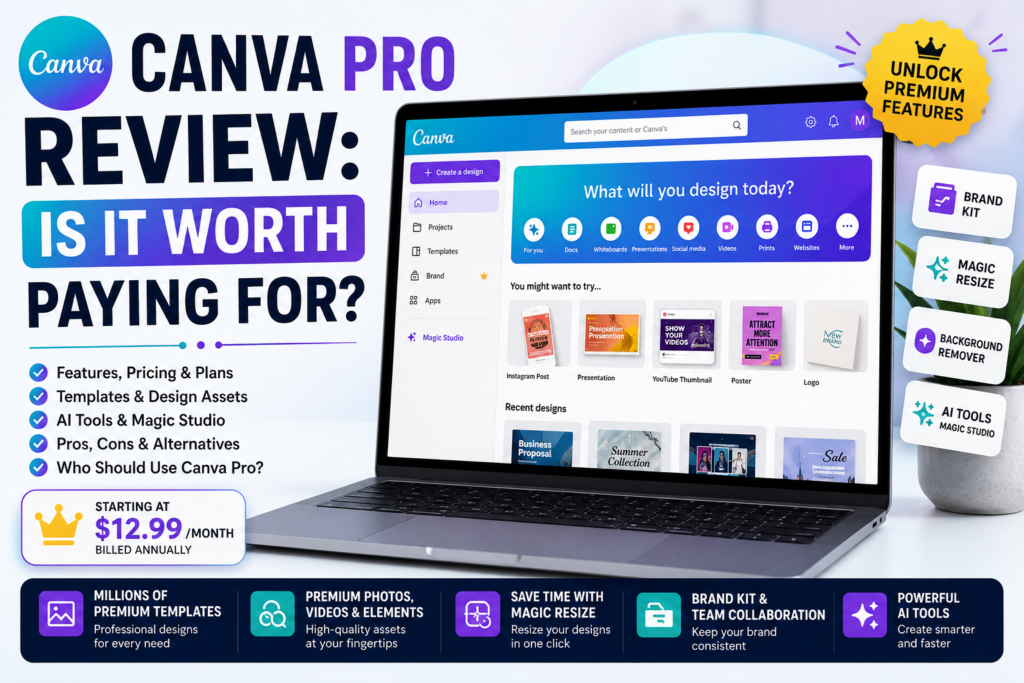
After signing in, users are greeted with a clean dashboard where they can browse templates, start a new design, organize projects, or access recently edited files.
The interface feels modern, responsive, and easy to navigate. Even first-time users can usually create their first design within minutes without needing any prior design knowledge.
This ease of use is one of the reasons Canva has become a favorite among students, educators, entrepreneurs, and content creators.
Canva Free vs Canva Pro
Before paying for Canva Pro, it’s important to understand what extra features you’re getting.
Canva Free Includes
- Thousands of free templates
- Basic photo editing tools
- Limited stock photos and graphics
- Collaboration features
- Basic cloud storage
- Simple video editing
- Access to many fonts and elements
The free plan is more than enough for casual users and those who create only a few designs each month.
Canva Pro Includes
Upgrading to Canva Pro unlocks a significantly larger collection of design resources and advanced tools.
Some highlights include:
- Millions of premium templates
- Premium stock photos
- Premium videos
- Premium icons and illustrations
- Background Remover
- Magic Resize
- Brand Kit
- AI-powered design features
- Content Planner
- Additional cloud storage
- One-click design resizing
- Advanced collaboration tools
These features are particularly useful for users who design frequently or manage content across multiple platforms.
User Interface and Ease of Use
Canva’s interface is one of the easiest to learn among graphic design platforms.
Everything is organized into simple categories, making it easy to find templates, upload files, edit images, and export finished projects.
Even users with no design background can create polished graphics using drag-and-drop controls.
Helpful features include:
- Real-time editing
- Automatic saving
- Simple layer management
- Easy image uploads
- Quick search for templates and elements
- One-click sharing
Overall, Canva Pro offers a smooth and beginner-friendly experience while still providing enough advanced functionality for professional use.
Canva Pro Templates
Templates are one of Canva’s strongest features.
Instead of starting with a blank page, users can choose from professionally designed layouts for almost any project.
Popular template categories include:
- Instagram posts
- Facebook covers
- YouTube thumbnails
- LinkedIn banners
- Pinterest pins
- Presentations
- Business cards
- Flyers
- Posters
- Brochures
- Invitations
- Certificates
- Menus
- Newsletters
- Infographics
Having access to a wide range of templates can significantly reduce the time needed to create high-quality designs.
Premium Stock Photos and Graphics
Canva Pro subscribers gain access to an extensive collection of premium visual assets.
These include:
- High-quality stock photos
- Videos
- Audio tracks
- Stickers
- Icons
- Illustrations
- Shapes
- Animations
Using built-in assets eliminates the need to search multiple websites for royalty-free content, making the design process faster and more convenient.
Brand Kit
The Brand Kit is one of Canva Pro’s most valuable features for businesses and professionals.
It allows users to save:
- Brand logos
- Color palettes
- Fonts
- Brand templates
This ensures that every design maintains a consistent visual identity, which is especially useful for companies, agencies, and content creators.
Magic Resize
Creating the same design for multiple platforms can be time-consuming.
Magic Resize allows users to quickly adapt a design for different formats, such as:
- Instagram Story
- Facebook Post
- YouTube Thumbnail
- Pinterest Pin
- LinkedIn Post
- Presentation Slide
Instead of redesigning from scratch, users can resize and adjust layouts with just a few clicks.
This feature alone can save a significant amount of time for marketers and social media managers.
Background Remover
One of Canva Pro’s most popular tools is the Background Remover.
With a single click, users can separate a subject from its background, making it easy to create product images, profile pictures, marketing materials, and social media graphics.
For many users, this feature replaces the need for more complex photo editing software.
Canva Pro Review: Is It Worth Paying For? (2026 Review) – Part 2
Continue reading from Part 1
Canva AI Tools (Magic Studio)
One of the biggest reasons many users upgrade to Canva Pro is access to its growing collection of AI-powered features through Magic Studio. These tools are designed to speed up common design tasks and help users create content more efficiently.
Some of the most useful AI features include:
- AI-assisted image generation
- Magic Write for generating text ideas
- Magic Edit for modifying parts of an image
- Magic Eraser for removing unwanted objects
- Magic Expand to extend images beyond their original borders
- Magic Grab for selecting and moving objects
- AI-powered design suggestions
These tools don’t replace creativity, but they can save time and make editing much easier, especially for beginners.
Video Editing Features
Canva is no longer limited to static graphics. It has grown into a capable video editing platform suitable for many everyday projects.
With Canva Pro, you can create:
- YouTube videos
- Instagram Reels
- TikTok videos
- Product advertisements
- Business presentations
- Educational videos
- Promotional clips
Video editing features include:
- Drag-and-drop timeline editing
- Video trimming
- Transitions
- Text animations
- Background music
- Voice recordings
- Stock video library
- Simple effects
While professional filmmakers may still prefer dedicated editing software, Canva offers more than enough functionality for most content creators and small businesses.
Collaboration Features
Canva Pro makes teamwork simple by allowing multiple people to collaborate on the same project.
Useful collaboration features include:
- Shared folders
- Team workspaces
- Real-time editing
- Design comments
- Permission management
- Brand consistency across teams
These tools are particularly valuable for agencies, marketing teams, educators, and businesses working on shared projects.
Performance and User Experience
Throughout regular use, Canva Pro performs smoothly in most modern web browsers and mobile devices.
Performance highlights include:
- Fast loading templates
- Automatic cloud saving
- Smooth drag-and-drop editing
- Reliable export process
- Responsive interface
- Cross-device synchronization
Large or highly detailed projects may take slightly longer to load, but overall performance is excellent for a browser-based design platform.
Export Options
Once your design is complete, Canva Pro offers several export formats.
Popular options include:
- PNG
- JPG
- SVG (where supported)
- MP4
- GIF
- PPTX
Users can also adjust image quality, file size, and transparency settings depending on the project.
This flexibility makes Canva suitable for both digital and print design work.
Canva Pro Pricing
Canva offers different pricing plans depending on whether you’re an individual, team, student, educator, or business.
Typical plan options include:
- Free plan
- Canva Pro
- Canva Teams
- Enterprise solutions
The Pro subscription unlocks premium templates, AI tools, Brand Kit, additional storage, and advanced collaboration features.
Since pricing may vary by region and change over time, it’s always a good idea to check Canva’s official website for the latest subscription details before making a decision.
Canva Pro: Pros
After spending time with Canva Pro, several strengths stand out.
Advantages
✔ Extremely beginner-friendly interface
✔ Huge collection of professional templates
✔ Millions of premium photos, videos, and graphics
✔ Powerful AI-assisted editing tools
✔ Excellent Background Remover
✔ Magic Resize saves significant time
✔ Great collaboration features
✔ Cloud-based access across devices
✔ Suitable for social media, presentations, marketing, and business materials
✔ Frequent feature updates
Canva Pro: Cons
Although Canva Pro is impressive, it does have some limitations.
Disadvantages
- Advanced image editing is not as powerful as professional desktop software.
- Some AI features may have usage limits depending on your plan.
- Large projects can occasionally take longer to process.
- Offline functionality is limited because Canva is primarily cloud-based.
For highly complex graphic design projects, professionals may still prefer specialized software.
Who Should Buy Canva Pro?
Canva Pro isn’t necessary for everyone, but it offers excellent value for many users.
Bloggers
Perfect for creating featured images, Pinterest graphics, infographics, and social media content.
Content Creators
Ideal for designing YouTube thumbnails, Instagram posts, TikTok visuals, and promotional graphics.
Small Business Owners
Businesses can create consistent marketing materials without hiring a professional designer for every project.
Students
Useful for presentations, reports, posters, resumes, and academic projects.
Freelancers
Designers, marketers, and virtual assistants can deliver professional-looking work quickly using Canva Pro’s extensive template library.
Who Might Not Need Canva Pro?
The free version may be sufficient if you:
- Only create occasional graphics.
- Don’t need premium templates or stock assets.
- Rarely work with branding or team collaboration.
- Already use professional desktop design software for advanced editing.
For casual users, Canva Free remains one of the best no-cost design tools available.
Frequently Asked Questions
Is Canva Pro worth paying for?
For people who create graphics regularly, Canva Pro offers excellent value through premium templates, AI tools, stock assets, and time-saving features.
Can beginners use Canva Pro?
Yes. Canva is designed with simplicity in mind, making it accessible even for users with no graphic design experience.
Does Canva Pro include AI tools?
Yes. Canva Pro includes access to a range of AI-powered features through Magic Studio, such as Magic Write, Magic Edit, and Background Remover.
Is Canva Pro better than the free version?
The free version is excellent for basic design work, but Canva Pro significantly expands your creative options with premium resources, advanced editing tools, and productivity features.
Can I use Canva Pro for commercial projects?
Canva provides licensing for many of its design assets, but you should always review the current licensing terms for specific content before using it commercially.
Does Canva Pro work on mobile devices?
Yes. Canva offers mobile apps for creating and editing designs on smartphones and tablets, allowing you to work across multiple devices.
Final Verdict
Canva Pro has established itself as one of the most accessible and versatile design platforms available today. Its combination of user-friendly tools, an extensive library of templates and assets, AI-powered features, and seamless collaboration makes it an excellent choice for a wide range of users.
If you regularly create graphics for social media, blogging, presentations, or marketing, the time-saving features alone can make the subscription worthwhile. Tools such as Magic Resize, Background Remover, Brand Kit, and Magic Studio simplify workflows that would otherwise require multiple applications.
For occasional users, the free version remains a capable option. However, professionals, businesses, and frequent content creators are likely to get the most value from Canva Pro’s premium features.
Overall, Canva Pro strikes a strong balance between simplicity and capability, making it one of the best design platforms for both beginners and experienced creators.
Overall Rating
| Category | Rating |
|---|---|
| Ease of Use | ⭐⭐⭐⭐⭐ |
| Templates | ⭐⭐⭐⭐⭐ |
| AI Features | ⭐⭐⭐⭐⭐ |
| Collaboration | ⭐⭐⭐⭐⭐ |
| Performance | ⭐⭐⭐⭐⭐ |
| Value for Money | ⭐⭐⭐⭐☆ |
| Customer Experience | ⭐⭐⭐⭐⭐ |
| Overall Score | 9.6/10 |