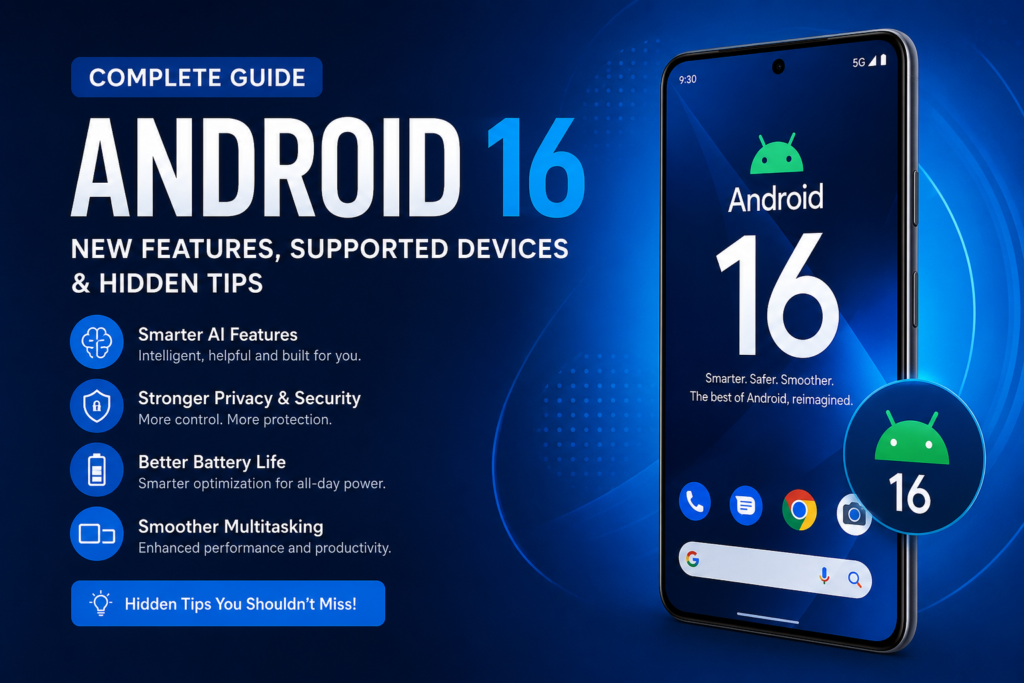

Android continues to evolve every year, and Android 16 is another major step forward. While previous updates focused heavily on design and performance, Android 16 introduces smarter AI features, stronger privacy controls, improved multitasking, better battery optimization, and several quality-of-life improvements that make everyday phone usage smoother.
Whether you’re wondering if your phone will receive the update, curious about the newest features, or simply want to learn how to get the most out of Android 16, this guide covers everything you need to know.
Let’s explore what’s new, what’s improved, and why Android 16 is one of the biggest Android updates in recent years.
Table of Contents
- What Is Android 16?
- Android 16 Release Timeline
- Top New Features
- AI Improvements
- Privacy and Security Enhancements
- Better Battery Performance
- Improved Multitasking
- Camera and Media Upgrades
- Supported Devices
- How to Install Android 16
- Hidden Tips Most Users Miss
- Android 16 vs Android 15
- Frequently Asked Questions
- Final Thoughts
What Is Android 16?
Android 16 is Google’s latest version of its mobile operating system, designed to deliver a faster, smarter, and more secure experience for Android users. Building on Android 15, this release emphasizes intelligent features powered by AI, refined system performance, stronger privacy protections, and improved compatibility across phones, tablets, foldables, and other Android-powered devices.
Instead of introducing dramatic visual changes, Android 16 focuses on making everyday tasks simpler and more efficient. Apps launch more smoothly, notifications are easier to manage, battery usage is more intelligent, and users have greater control over their personal data.
Whether you use your phone for work, gaming, photography, or everyday communication, Android 16 includes meaningful improvements that enhance the overall experience.
Android 16 Release Timeline
Google introduced Android 16 through developer previews before opening beta testing to a wider audience. These testing phases allowed developers to optimize their applications and helped identify issues before the stable version became available.
As with previous Android releases, supported Google Pixel devices typically receive the update first, followed by smartphones from manufacturers such as Samsung, OnePlus, Xiaomi, OPPO, Vivo, Motorola, and Nothing after their own testing and software customization.
If your device is eligible, you’ll receive the update through the system settings once your manufacturer makes it available.
Top New Features in Android 16
Android 16 introduces numerous improvements that enhance both performance and usability. Below are some of the most significant additions.
1. Smarter AI Integration
Artificial intelligence plays a larger role in Android 16 than ever before.
The operating system uses AI to help users complete tasks more efficiently without constantly switching between apps.
Examples include:
- Smarter text suggestions
- Better voice typing accuracy
- Intelligent notification summaries
- Faster image recognition
- Improved search results
- More context-aware recommendations
Instead of feeling like separate AI tools, these features are integrated naturally into everyday tasks.
2. Improved Battery Optimization
Battery life has always been one of the biggest concerns for smartphone users.
Android 16 introduces a more intelligent power management system that learns how you use your phone and limits unnecessary background activity.
Some improvements include:
- Better background app management
- Reduced standby battery drain
- Faster charging optimization
- Smarter adaptive battery behavior
- More accurate battery health information
For many users, these changes can lead to noticeably longer battery life during daily use.
3. Faster App Performance
Android 16 improves how applications start and run.
Apps launch more quickly, animations feel smoother, and memory management has been refined to reduce slowdowns.
Performance improvements include:
- Faster cold app launches
- Better RAM allocation
- Reduced lag while multitasking
- Improved gaming performance
- Faster file loading
- More efficient background processing
Even mid-range Android phones can benefit from these optimizations.
4. Enhanced Privacy Controls
Privacy remains one of Google’s highest priorities.
Android 16 gives users more visibility into how apps access personal information.
New privacy improvements include:
- Better permission management
- More detailed privacy dashboards
- Improved microphone controls
- Enhanced camera permissions
- Stronger protection against malicious apps
- Better control over location sharing
These additions help users understand exactly what information applications can access.
5. Better Notification Management
Notifications have become much smarter.
Instead of overwhelming users with dozens of alerts, Android 16 organizes notifications more effectively.
Features include:
- Better grouping
- Cleaner layouts
- Smarter prioritization
- Reduced notification clutter
- Improved silent notification handling
This creates a more organized and less distracting experience.
AI Features That Make Android 16 Smarter
Artificial intelligence is deeply integrated throughout Android 16.
Rather than replacing existing features, AI enhances how users interact with their devices.
Some examples include:
Intelligent Writing Assistance
Writing emails, messages, and notes becomes quicker with improved predictive suggestions and smarter text corrections.
Smarter Voice Recognition
Voice commands are more accurate, even in noisy environments.
Better Photo Organization
Your gallery can automatically identify people, places, documents, and events more accurately, making photos easier to find.
Improved Search
Searching for apps, files, settings, or photos delivers more relevant results based on your habits and previous activity.
Redesigned Security Features
Android 16 strengthens device security with several behind-the-scenes improvements.
Highlights include:
- Enhanced protection against phishing attempts
- Improved malware detection
- Better app verification
- Stronger device encryption
- Safer installation of third-party apps
- Improved biometric authentication
These updates help reduce common security risks while maintaining a smooth user experience.
Better Experience on Foldables and Tablets
Android 16 continues Google’s investment in large-screen devices.
Users of foldable phones and tablets benefit from:
- Better split-screen multitasking
- Improved drag-and-drop support
- More responsive layouts
- Enhanced stylus compatibility
- Better app resizing
- Smoother window management
These refinements make Android devices more capable for productivity and entertainment.
Camera Improvements
Photography also receives several enhancements.
Android 16 provides improvements that developers can use to create better camera experiences.
Users may notice:
- Faster image processing
- Improved HDR support
- Better low-light performance (device-dependent)
- More consistent color accuracy
- Smoother video recording
- Improved image stabilization
The exact camera capabilities will vary depending on the hardware in each device.
Improved Accessibility Features
Google continues making Android more inclusive.
Android 16 includes accessibility improvements such as:
- Better screen reader functionality
- Enhanced live captions
- Improved voice controls
- More customization options
- Easier font scaling
- Better hearing support
These updates make Android easier to use for a wider range of users.
Android 16 Supported Devices
One of the first questions Android users ask after a new version is announced is, “Will my phone get the update?” The answer depends on your device manufacturer, model, and software support policy.
Google Pixel phones are usually the first to receive the latest Android version, while brands like Samsung, OnePlus, Xiaomi, Motorola, Nothing, OPPO, Vivo, and Realme roll out updates after testing their own customized software.
Below are some of the devices that are expected to support Android 16.
Google Pixel Devices
Google’s Pixel lineup receives Android updates before any other manufacturer. If you own one of these devices, you’ll likely be among the first to experience Android 16.
- Pixel 6
- Pixel 6 Pro
- Pixel 6a
- Pixel 7
- Pixel 7 Pro
- Pixel 7a
- Pixel Fold
- Pixel Tablet
- Pixel 8
- Pixel 8 Pro
- Pixel 8a
- Pixel 9 Series (and newer)
Samsung Galaxy Devices
Samsung continues to offer one of the best software update policies in the Android ecosystem.
Eligible Galaxy devices may include:
Galaxy S Series
- Galaxy S22 Series
- Galaxy S23 Series
- Galaxy S24 Series
- Galaxy S25 Series
Galaxy Z Fold & Flip
- Galaxy Z Fold4
- Galaxy Z Fold5
- Galaxy Z Fold6
- Galaxy Z Flip4
- Galaxy Z Flip5
- Galaxy Z Flip6
Galaxy A Series
Several newer Galaxy A-series models are also expected to receive Android 16, depending on Samsung’s update schedule.
Other Brands
Many recent flagship and upper mid-range devices from these manufacturers are also expected to receive Android 16.
- OnePlus
- Xiaomi
- Redmi
- POCO
- Motorola
- Nothing
- OPPO
- Vivo
- Realme
- HONOR
Always check your manufacturer’s official software update page for the latest rollout information.
How to Check if Android 16 Is Available
If you’re waiting for the update, checking manually only takes a minute.
Follow these steps:
- Open Settings.
- Tap System.
- Select Software Update or System Update.
- Tap Check for Updates.
- If Android 16 is available, follow the on-screen instructions.
Before updating, make sure your device has at least 50% battery life and is connected to Wi-Fi.
How to Prepare Before Updating
Although Android updates are generally safe, a little preparation can help avoid problems.
Back Up Your Data
Save your photos, contacts, and important files to cloud storage or a computer.
Free Up Storage
Large system updates require enough available storage space. Removing unused apps or old downloads can make the installation smoother.
Charge Your Phone
Keep your battery above 50%, or leave your phone connected to the charger during the update.
Update Your Apps
Installing the latest versions of your apps helps ensure compatibility with Android 16.
Hidden Android 16 Tips You Should Try
Many of Android 16’s best features aren’t immediately obvious. Here are a few tips to help you get the most from your device.
1. Customize Quick Settings
Edit your Quick Settings panel to keep frequently used tools like Wi-Fi, Bluetooth, Flashlight, and Screen Recorder within easy reach.
2. Enable Adaptive Battery
Adaptive Battery uses machine learning to understand your usage patterns and reduce background activity for apps you rarely open.
This can noticeably improve battery life over time.
3. Review App Permissions Regularly
Take a few minutes to review which apps can access your camera, microphone, contacts, and location.
Removing unnecessary permissions improves both privacy and security.
4. Use Split Screen for Multitasking
Need to take notes while watching a video or compare information between two apps?
Split Screen mode makes multitasking much easier, especially on larger phones and foldables.
5. Turn On Theft Protection Features
Android 16 includes stronger security options that help protect your personal information if your phone is lost or stolen.
Enabling these features adds another layer of protection without affecting daily use.
6. Organize Your Home Screen
Instead of filling multiple pages with icons, create folders for categories such as:
- Work
- Social Media
- Photography
- Banking
- Entertainment
- Travel
A cleaner layout helps you find apps faster.
7. Manage Notifications Wisely
Not every app deserves permission to interrupt your day.
Disable notifications for apps you rarely use while allowing important messages, calls, and reminders to remain visible.
8. Explore Accessibility Features
Even users without accessibility needs may appreciate features like Live Captions, Magnification, larger text, and Voice Access for added convenience.
Android 16 vs Android 15
If you’re wondering whether upgrading is worthwhile, here’s a quick comparison.
| Feature | Android 15 | Android 16 |
|---|---|---|
| AI Features | Good | More advanced and integrated |
| Battery Optimization | Improved | Smarter adaptive management |
| Privacy Controls | Strong | More detailed permissions and protections |
| Notifications | Improved | Better organization and prioritization |
| Performance | Fast | Faster app launches and smoother multitasking |
| Tablet Support | Better | More refined large-screen experience |
| Security | Excellent | Enhanced protection against phishing and malicious apps |
Overall, Android 16 builds on the strengths of Android 15 with meaningful refinements rather than dramatic redesigns.
Frequently Asked Questions
Is Android 16 free?
Yes. Android 16 is a free software update for supported Android devices.
Which phones will receive Android 16 first?
Google Pixel devices are usually the first to receive new Android versions, followed by other manufacturers after they complete testing.
Does Android 16 improve battery life?
Yes. Android 16 includes smarter battery management that reduces unnecessary background activity and helps extend battery life in many everyday situations.
Is Android 16 good for gaming?
Yes. Improved performance, memory management, and system optimizations can contribute to a smoother gaming experience, although results also depend on your device’s hardware.
Can I go back to Android 15 after upgrading?
In many cases, downgrading is possible but may require unlocking the device, reinstalling software, and erasing all data. Most users are better off staying on the latest stable version.
Is Android 16 more secure?
Yes. Android 16 introduces stronger privacy controls, improved app verification, better phishing protection, and ongoing security enhancements.
How much storage is required for Android 16?
The required free space varies depending on your device manufacturer, but having several gigabytes of available storage is recommended before installing any major update.
Should You Upgrade to Android 16?
For most users, the answer is yes.
Android 16 doesn’t reinvent the Android experience, but it improves many of the things people use every day. From smarter AI assistance and stronger security to smoother multitasking and better battery optimization, the update focuses on practical improvements that make your phone feel faster, more capable, and easier to use.
If your device is eligible, installing Android 16 is a great way to benefit from the latest features, security updates, and performance enhancements.
Final Thoughts
Android 16 demonstrates Google’s continued focus on refining the Android experience instead of making unnecessary changes. The operating system brings together intelligent AI features, thoughtful privacy improvements, smoother performance, and better support for modern devices like foldables and tablets.
Whether you’re a casual smartphone user, a mobile gamer, a professional who relies on productivity apps, or someone who simply wants a secure and reliable phone, Android 16 offers meaningful upgrades that improve daily use.
As more manufacturers roll out the update, users across the Android ecosystem will gain access to a faster, smarter, and more secure mobile experience. If your phone is eligible, keeping your device up to date is one of the best ways to enjoy the latest innovations while maintaining strong security and performance.