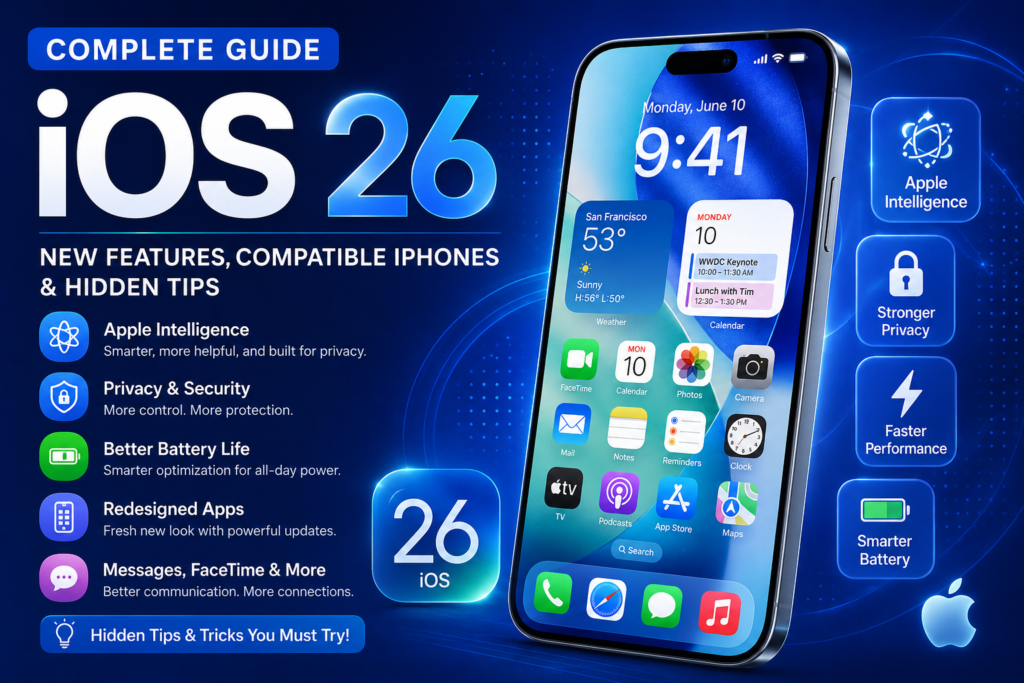

Apple continues to refine the iPhone experience with every major software release, and iOS 26 is one of its most polished updates yet. Rather than introducing unnecessary changes, Apple has focused on making the operating system smarter, faster, more secure, and more personalized. Whether you’re upgrading from an older version of iOS or buying a new iPhone, iOS 26 offers meaningful improvements that enhance everyday use.
From advanced Apple Intelligence features and redesigned apps to stronger privacy protections, better battery optimization, and smoother multitasking, iOS 26 brings a wide range of improvements that benefit both casual users and power users alike.
In this comprehensive guide, we’ll explore everything you need to know about iOS 26, including its biggest new features, supported iPhone models, hidden tips, performance enhancements, and answers to the most common questions.
Table of Contents
- What Is iOS 26?
- Release Timeline
- What’s New in iOS 26
- Apple Intelligence Features
- Redesigned Apps
- Privacy & Security Improvements
- Battery and Performance Enhancements
- Camera Improvements
- Messages, Phone & FaceTime Updates
- Compatible iPhones
- How to Update to iOS 26
- Hidden Tips and Tricks
- iOS 26 vs Previous Version
- Frequently Asked Questions
- Final Thoughts
What Is iOS 26?
iOS 26 is Apple’s latest operating system for the iPhone, designed to deliver a faster, smarter, and more secure mobile experience. Building on previous versions, iOS 26 focuses on practical improvements rather than dramatic visual changes. It enhances everyday tasks through better AI-powered tools, improved system performance, and more intuitive app experiences.
Apple has also expanded its focus on privacy by giving users greater control over personal information while introducing features that make communication, productivity, and entertainment more seamless.
Whether you’re taking photos, replying to messages, organizing your schedule, or simply browsing the web, iOS 26 aims to make every interaction smoother and more efficient.
iOS 26 Release Timeline
Apple first introduced iOS 26 during its annual Worldwide Developers Conference (WWDC), giving developers early access to test their apps and prepare for the new features. A public beta followed, allowing enthusiasts to try the software before its official release.
The stable version is rolled out to compatible iPhones in phases, ensuring a smooth deployment and giving developers time to optimize their apps for the latest APIs and system changes.
If your iPhone supports iOS 26, you’ll receive a notification when the update is available through the Settings app.
Top New Features in iOS 26
Apple has introduced several features that make iPhones more capable, more personal, and easier to use.
1. Apple Intelligence Gets Smarter
One of the standout improvements in iOS 26 is the continued evolution of Apple Intelligence. It helps users complete everyday tasks more efficiently while prioritizing privacy by processing many requests directly on the device.
Some highlights include:
- Smarter writing assistance
- Improved notification summaries
- Better language understanding
- Context-aware suggestions
- Intelligent image generation tools
- Enhanced productivity features
Instead of feeling like a separate app, Apple Intelligence works quietly in the background to improve the overall iPhone experience.
2. Faster System Performance
Apple has optimized iOS 26 to improve responsiveness across the system.
Users may notice:
- Faster app launches
- Smoother scrolling
- Better multitasking
- Reduced animation lag
- Quicker app switching
- Improved background processing
Even older supported iPhones benefit from these refinements, helping devices feel responsive for longer.
3. Better Battery Optimization
Battery life is one of the most important aspects of any smartphone experience, and iOS 26 introduces smarter power management.
Key improvements include:
- Better background app control
- Smarter charging optimization
- Reduced battery drain during standby
- Improved Low Power Mode
- More accurate battery usage reports
These enhancements help extend daily battery life without requiring users to change their habits significantly.
4. Stronger Privacy and Security
Apple has long positioned privacy as a core feature, and iOS 26 continues that approach with several meaningful upgrades.
New security improvements include:
- More detailed app permission controls
- Better tracking protection
- Improved password management
- Enhanced phishing detection
- Stronger device encryption
- Better account security alerts
These features help users stay informed about how their personal data is used while reducing common security risks.
5. Smarter Notifications
Notifications have become more organized and easier to manage.
iOS 26 introduces:
- Better notification grouping
- Smarter priority handling
- Less visual clutter
- More useful summaries
- Improved Focus mode integration
This makes it easier to stay informed without feeling overwhelmed.
Apple Intelligence in iOS 26
Apple Intelligence is one of the defining aspects of modern iOS, and iOS 26 expands its capabilities in several areas.
Writing Assistance
Whether you’re composing an email, replying to a message, or taking notes, Apple Intelligence can suggest edits, improve grammar, summarize text, and help rewrite content in different tones.
Smarter Siri
Siri continues to evolve with improved language understanding and more natural conversations. It can better understand follow-up questions and provide more context-aware assistance.
Intelligent Photo Organization
The Photos app can automatically recognize people, places, events, and objects with greater accuracy, making it easier to search your photo library.
Smart Search
Searching within your iPhone is faster and more intelligent. Whether you’re looking for an app, contact, document, email, or photo, iOS 26 surfaces more relevant results based on your usage patterns.
Camera Enhancements
Photography remains one of the iPhone’s strongest features, and iOS 26 introduces software improvements that complement Apple’s camera hardware.
Users may notice:
- Faster image processing
- Improved HDR performance
- Better low-light photography
- More natural skin tones
- Enhanced portrait effects
- Smoother video recording
The exact experience will vary depending on your iPhone model, but the overall goal is to make capturing high-quality photos and videos easier.
Improvements to Messages, Phone & FaceTime
Apple has refined its communication apps to make staying connected more convenient.
Messages
- Better conversation organization
- Improved search
- More expressive messaging tools
- Smarter suggested replies
Phone
- Enhanced call management
- Better spam detection
- Easier voicemail access
FaceTime
- Improved video quality
- Better audio clarity
- More reliable connections
- Enhanced accessibility options
These updates help make everyday communication feel more seamless.
Accessibility Improvements
iOS 26 introduces several accessibility enhancements that benefit a wide range of users.
Highlights include:
- Improved Voice Control
- Better Live Captions
- More customization options
- Enhanced Magnifier tools
- Easier text scaling
- Better support for assistive technologies
These features reinforce Apple’s commitment to making the iPhone accessible to everyone.
iOS 26: Complete Guide to New Features, Compatible iPhones & Hidden Tips (Part 2)
Continue reading from Part 1
Compatible iPhones for iOS 26
One of the most common questions after a new iOS release is whether an iPhone will support the latest update. Apple is known for offering software support for several years, allowing many users to enjoy new features without upgrading their devices immediately.
While the exact list may vary depending on Apple’s official rollout, the following iPhone models are expected to support iOS 26.
iPhone 16 Series
- iPhone 16
- iPhone 16 Plus
- iPhone 16 Pro
- iPhone 16 Pro Max
- iPhone 16e
iPhone 15 Series
- iPhone 15
- iPhone 15 Plus
- iPhone 15 Pro
- iPhone 15 Pro Max
iPhone 14 Series
- iPhone 14
- iPhone 14 Plus
- iPhone 14 Pro
- iPhone 14 Pro Max
iPhone 13 Series
- iPhone 13
- iPhone 13 mini
- iPhone 13 Pro
- iPhone 13 Pro Max
iPhone 12 Series
- iPhone 12
- iPhone 12 mini
- iPhone 12 Pro
- iPhone 12 Pro Max
iPhone 11 Series
- iPhone 11
- iPhone 11 Pro
- iPhone 11 Pro Max
iPhone SE
- iPhone SE (2nd Generation)
- iPhone SE (3rd Generation)
Note: Some advanced Apple Intelligence features may require newer iPhone models due to hardware limitations.
How to Update Your iPhone to iOS 26
Updating your iPhone is simple, but following a few best practices can help ensure a smooth installation.
Step 1: Back Up Your iPhone
Before installing any major software update, back up your data using iCloud or a computer. This protects your photos, contacts, messages, and documents if something goes wrong.
Step 2: Check Available Storage
Major iOS updates require free storage space. Remove unused apps or large files if needed before downloading the update.
Step 3: Connect to Wi-Fi
Using a stable Wi-Fi connection helps avoid interrupted downloads and ensures the update completes successfully.
Step 4: Charge Your Battery
Keep your iPhone above 50% battery or connect it to a charger during installation.
Step 5: Install the Update
- Open Settings
- Tap General
- Select Software Update
- Tap Download and Install
- Follow the on-screen instructions
Your iPhone will restart once the installation is complete.
Hidden iOS 26 Tips & Tricks
Many of the best features in iOS 26 are easy to overlook. Here are some tips to help you make the most of your iPhone.
1. Customize the Lock Screen
Personalize your Lock Screen with widgets, wallpapers, fonts, and shortcuts that match your daily routine.
2. Improve Battery Life
Enable features like:
- Optimized Battery Charging
- Low Power Mode
- Background App Refresh controls
- Automatic Brightness
These settings can significantly extend battery life.
3. Organize Your Home Screen
Group similar apps into folders and keep your most-used apps on the first page for quicker access.
4. Use Focus Modes
Focus Modes help reduce distractions while working, studying, driving, sleeping, or exercising by filtering notifications and customizing your Home Screen.
5. Secure Your Privacy
Take a few minutes to review:
- Location permissions
- Camera access
- Microphone access
- Photo Library permissions
- Bluetooth permissions
Limiting unnecessary permissions improves both privacy and battery efficiency.
6. Master Spotlight Search
Instead of opening multiple apps, use Spotlight Search to quickly find:
- Apps
- Contacts
- Photos
- Documents
- Emails
- Notes
- Calendar events
It’s one of the fastest ways to navigate your iPhone.
7. Explore Apple Intelligence Features
If your iPhone supports Apple Intelligence, explore writing tools, smart summaries, image generation, and intelligent suggestions to boost productivity.
8. Keep Your Apps Updated
Developers frequently release updates to improve compatibility with the latest iOS version. Keeping apps current ensures you benefit from new features, bug fixes, and security improvements.
iOS 26 vs Previous Version
If you’re wondering whether upgrading is worthwhile, here’s a quick comparison.
| Feature | Previous iOS Version | iOS 26 |
|---|---|---|
| Apple Intelligence | Limited | Expanded and smarter |
| Performance | Fast | Faster app launches and smoother animations |
| Battery Management | Good | Improved adaptive optimization |
| Privacy Controls | Strong | More detailed and transparent |
| Notifications | Better | Smarter organization and summaries |
| Siri | Improved | More context-aware and natural |
| Accessibility | Excellent | Additional customization and enhancements |
For most users, iOS 26 offers noticeable improvements without changing the familiar iPhone experience.
Common Problems After Updating (and How to Fix Them)
Although most updates install without issues, some users may experience temporary problems.
Battery Draining Quickly
Allow a few days for the system to finish indexing files. Battery life often improves after the first few charging cycles.
Apps Crashing
Visit the App Store and update all installed apps to their latest versions.
Slow Performance
Restart your iPhone and make sure enough storage is available. Performance typically stabilizes after background optimization is complete.
Wi-Fi or Bluetooth Issues
Turn Wi-Fi or Bluetooth off and back on, restart your device, or reset network settings if the problem continues.
Frequently Asked Questions
Is iOS 26 free?
Yes. Like previous iOS releases, iOS 26 is a free software update for compatible iPhones.
Which iPhones support Apple Intelligence?
Some Apple Intelligence features are available only on newer iPhone models with the necessary hardware capabilities.
Will iOS 26 improve battery life?
For many users, yes. Apple has introduced smarter power management and optimization features that can help extend battery life.
Is iOS 26 safe to install?
Yes. Installing the latest stable version is generally recommended because it includes important security patches, bug fixes, and performance improvements.
Can I downgrade after installing iOS 26?
Downgrading may be possible for a limited time, but it depends on Apple’s software signing policy. In most cases, users should plan to stay on the latest supported version.
Does iOS 26 make older iPhones faster?
Performance improvements are designed to benefit supported devices, but the overall experience also depends on your iPhone’s hardware and battery health.
Should You Upgrade to iOS 26?
If your iPhone is compatible, upgrading to iOS 26 is a smart choice. The update focuses on meaningful improvements rather than unnecessary redesigns, making everyday tasks faster, more secure, and more convenient.
Whether you’re interested in Apple Intelligence, improved battery life, enhanced privacy, or smoother performance, iOS 26 delivers valuable enhancements that improve the overall user experience.
Final Thoughts
iOS 26 represents another important step in Apple’s ongoing effort to make the iPhone more capable, intelligent, and secure. Instead of introducing flashy changes, Apple has focused on refining the features that people rely on every day.
From enhanced Apple Intelligence and better battery optimization to stronger privacy protections and smoother system performance, iOS 26 offers something for nearly every iPhone user. The improvements may seem subtle at first, but together they create a noticeably more polished experience.
If your device is eligible, updating to iOS 26 is one of the best ways to enjoy the latest features while keeping your iPhone protected with current security updates. As app developers continue optimizing their software for the new operating system, users can expect an even smoother and more capable mobile experience over time.
Whether you’re a long-time Apple fan or new to the iPhone ecosystem, iOS 26 demonstrates Apple’s continued commitment to delivering a reliable, user-friendly, and privacy-focused operating system.