
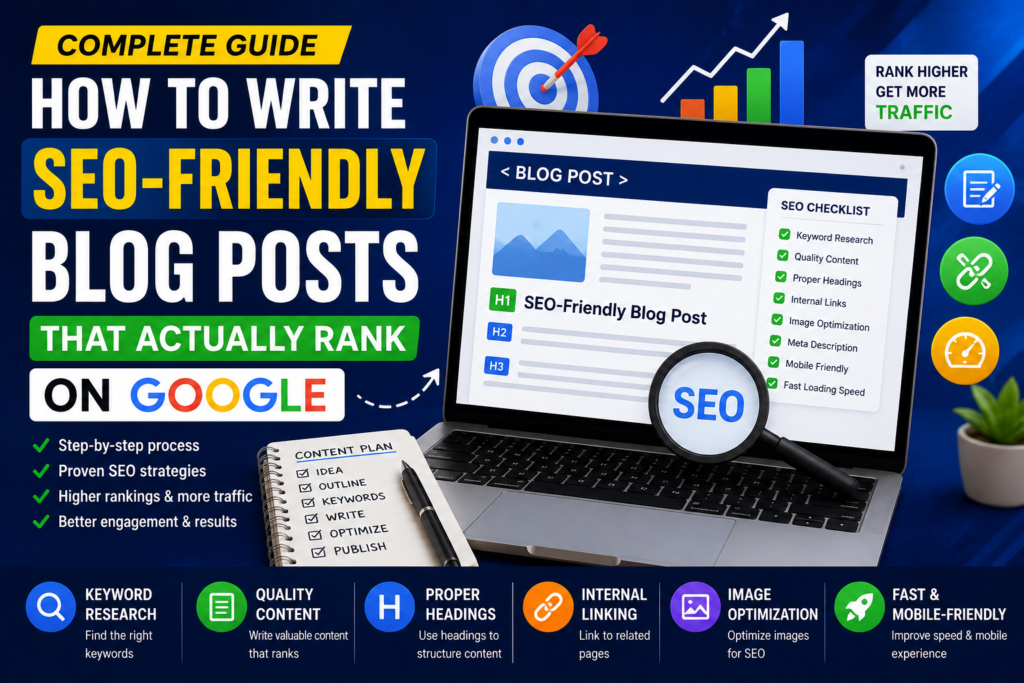

Publishing a blog post is easy. Creating one that consistently ranks on Google, attracts organic traffic, and keeps readers engaged is much more challenging. Many bloggers spend hours writing content only to see it disappear beyond the first few pages of search results.
The good news is that ranking on Google isn’t about stuffing keywords into every paragraph or chasing search engine algorithms. Modern SEO focuses on creating helpful, well-structured content that answers users’ questions better than competing pages.
Whether you’re starting a new blog or improving an existing website, learning how to write SEO-friendly blog posts can significantly increase your chances of attracting consistent organic traffic.
In this guide, you’ll learn the complete process of creating blog posts that are optimized for both search engines and real people.
Why SEO-Friendly Content Matters
Search engines want to provide users with the most relevant and trustworthy answers to their questions. If your article is well-written, easy to navigate, and provides genuine value, Google is more likely to rank it higher in search results.
SEO-friendly content can help you:
- Increase organic website traffic
- Build authority in your niche
- Improve user engagement
- Reduce bounce rates
- Generate more leads and sales
- Create long-term evergreen traffic
Unlike paid advertising, a well-optimized blog post can continue bringing visitors for months or even years.
Step 1: Understand Search Intent
Before writing a single word, ask yourself:
What does the reader actually want?
Every Google search has a purpose. This is called search intent.
There are four common types:
Informational
The user wants information.
Examples:
- What is SEO?
- How does Google ranking work?
Navigational
The user is looking for a specific website.
Example:
- Google Search Console
- WordPress login
Commercial
The user is comparing products or services before making a decision.
Example:
- Best SEO tools
- Best web hosting
Transactional
The user is ready to buy or sign up.
Example:
- Buy domain name
- Purchase SEO software
Understanding intent helps you create content that matches what readers expect to find.
Step 2: Perform Keyword Research
Keyword research forms the foundation of every successful SEO article.
Instead of targeting highly competitive keywords immediately, focus on phrases that have reasonable search volume and lower competition.
Look for:
- Primary keyword
- Secondary keywords
- Long-tail keywords
- Related questions
- Semantic keywords
For example, if your primary keyword is:
SEO-friendly blog post
Related keywords could include:
- blog SEO tips
- writing for Google
- SEO content writing
- optimize blog posts
- on-page SEO
Naturally including these variations helps search engines understand your content without keyword stuffing.
Step 3: Create a Strong SEO Title
Your title is often the first thing people notice in search results.
A good SEO title should:
- Include the primary keyword
- Clearly explain the topic
- Encourage clicks
- Stay concise
Examples:
✔ How to Write SEO-Friendly Blog Posts That Rank on Google
✔ 15 Proven Tips for Writing SEO-Friendly Content
✔ Complete Guide to SEO Content Writing
Avoid misleading or exaggerated titles that don’t reflect the actual content.
Step 4: Write an Engaging Introduction
The first few paragraphs determine whether visitors continue reading or leave your page.
A strong introduction should:
- Address the reader’s problem
- Explain why it matters
- Briefly introduce the solution
- Encourage readers to continue
Keep introductions focused and avoid unnecessary background information.
Step 5: Use Proper Heading Structure
Headings improve both readability and SEO.
Use a logical hierarchy:
- H1 for the article title
- H2 for major sections
- H3 for supporting points
- H4 only when necessary
Example:
What Is SEO?
Why SEO Matters
Types of SEO
Keyword Research
Finding Search Intent
Choosing Keywords
This structure makes your article easier for both readers and search engines to understand.
Step 6: Write for Humans First
One of the biggest SEO mistakes is writing only for search engines.
Google rewards content that provides real value.
Instead of repeating keywords, focus on:
- Solving problems
- Explaining concepts clearly
- Using examples
- Writing naturally
- Answering common questions
If readers enjoy your content, search engines are more likely to recommend it.
Step 7: Optimize Keyword Placement
Keywords should appear naturally throughout the article.
Good places include:
- SEO title
- URL
- First paragraph
- At least one H2 heading
- Image alt text
- Meta description
- Conclusion
Avoid forcing keywords into every sentence.
Natural writing always performs better over time.
Step 8: Keep Paragraphs Short
Large blocks of text discourage readers.
Instead:
- Use paragraphs with 2–4 sentences.
- Break up ideas with headings.
- Use bullet points where appropriate.
- Highlight important information.
This improves readability on both desktop and mobile devices.
Step 9: Add Internal Links
Internal linking helps readers discover more content while helping search engines understand your site’s structure.
For example, if you mention keyword research, link to your Keyword Research Guide.
If discussing image optimization, link to your Image SEO article.
Good internal linking improves navigation and distributes authority across your website.
Step 10: Include External Links
Linking to reliable, authoritative sources can improve credibility.
Examples include:
- Official documentation
- Research studies
- Government websites
- Industry-leading publications
Use external links only when they genuinely add value for readers.
Step 11: Optimize Images
Images improve user engagement but should also be optimized.
Best practices include:
- Compress large images.
- Use descriptive filenames.
- Add meaningful alt text.
- Choose modern image formats where supported.
- Ensure images are relevant to the content.
Optimized images can also appear in image search results, providing an additional traffic source.
Step 12: Improve Readability
Readers tend to stay longer on pages that are easy to scan.
Ways to improve readability include:
- Short sentences
- Simple language
- Clear headings
- Bullet points
- Numbered lists
- Examples
- White space
The easier your content is to read, the more likely visitors are to finish it.
Step 13: Write a Strong Conclusion
Every article should end with a meaningful conclusion.
Summarize the main points, reinforce the value provided, and encourage readers to take the next step, whether that’s exploring related articles, applying what they’ve learned, or leaving a comment.
A good conclusion leaves readers with a clear understanding of the topic and motivates them to continue engaging with your content.
How to Write SEO-Friendly Blog Posts That Actually Rank on Google (Part 2)
Continue reading from Part 1
Step 14: Optimize Your Meta Title and Meta Description
Your meta title and meta description are the first things people see in Google Search results. A compelling title and description can significantly improve your click-through rate (CTR).
Tips for an Effective Meta Title
- Keep it between 50–60 characters
- Include your primary keyword near the beginning
- Make it clear and engaging
- Avoid keyword stuffing
Example:
How to Write SEO-Friendly Blog Posts That Rank on Google
Tips for an Effective Meta Description
A good meta description should:
- Be 150–160 characters
- Explain what readers will learn
- Include your primary keyword naturally
- Encourage users to click
Example:
Learn how to write SEO-friendly blog posts that rank higher on Google with this step-by-step guide covering keywords, content structure, and optimization tips.
Step 15: Create SEO-Friendly URLs
A clean URL helps both readers and search engines understand your content.
Good Example
yourwebsite.com/seo-friendly-blog-posts
Bad Example
yourwebsite.com/post?id=12345&page=article-new-2026
URL Best Practices
- Keep URLs short.
- Include the main keyword.
- Use hyphens instead of underscores.
- Avoid unnecessary numbers and symbols.
Step 16: Optimize for Featured Snippets
Featured snippets appear at the top of Google’s search results and can drive significant organic traffic.
To improve your chances:
- Answer questions directly.
- Use numbered steps.
- Create bullet lists.
- Add comparison tables where appropriate.
- Keep answers concise before expanding.
Example:
What Is On-Page SEO?
On-page SEO is the process of optimizing individual web pages to improve their visibility in search engines through better content, headings, keywords, and technical elements.
Google often selects clear definitions like this for featured snippets.
Step 17: Use Schema Markup
Schema helps search engines better understand your content.
Useful schema types include:
- Article
- FAQ
- How-To
- Breadcrumb
- Organization
- Person
Adding structured data can increase your chances of earning rich search results.
Step 18: Improve Page Speed
A slow website can negatively affect both user experience and search rankings.
Ways to improve speed:
- Compress images
- Enable browser caching
- Minify CSS and JavaScript
- Use a Content Delivery Network (CDN)
- Choose reliable hosting
- Remove unnecessary plugins
A faster website keeps visitors engaged and reduces bounce rates.
Step 19: Make Your Website Mobile-Friendly
Most users now browse websites on mobile devices.
Ensure your blog:
- Uses a responsive design
- Has readable font sizes
- Features touch-friendly buttons
- Loads quickly on mobile networks
- Avoids intrusive pop-ups
Google uses mobile-first indexing, making mobile optimization essential.
Step 20: Update Older Blog Posts
SEO isn’t a one-time task.
Regularly updating existing content can improve rankings and keep your information relevant.
Update:
- Statistics
- Screenshots
- Broken links
- Outdated information
- Keywords
- Internal links
Fresh content often performs better over time.
Common SEO Mistakes to Avoid
Even experienced bloggers make mistakes that can limit search visibility.
Keyword Stuffing
Overusing keywords makes content difficult to read and may harm rankings.
Ignoring Search Intent
Writing an article that doesn’t answer the user’s question is unlikely to rank well.
Weak Headlines
A generic headline attracts fewer clicks.
Poor Formatting
Large blocks of text discourage readers from staying on the page.
No Internal Linking
Missing opportunities to connect related content weakens your site’s structure.
Forgetting Image Optimization
Large image files can slow down your website and hurt user experience.
Publishing Without Proofreading
Grammar mistakes and broken formatting reduce credibility.
Always review your content before publishing.
SEO Checklist Before Publishing
Use this checklist every time you publish a new article.
✅ Primary keyword included in the title
✅ Keyword used naturally in the introduction
✅ SEO-friendly URL
✅ Proper heading structure (H1, H2, H3)
✅ Internal links added
✅ External links added where helpful
✅ Images compressed
✅ Image alt text included
✅ Meta title written
✅ Meta description written
✅ Mobile-friendly formatting
✅ Grammar checked
✅ Conclusion included
Frequently Asked Questions
How long should an SEO-friendly blog post be?
The ideal length depends on the topic, but comprehensive articles of 1,500–3,000+ words often perform well for competitive keywords. The goal is to fully answer the user’s question rather than meet a specific word count.
How many keywords should I use?
Focus on one primary keyword and support it with naturally related keywords throughout the article. Avoid repeating the same phrase excessively.
How often should I publish blog posts?
Consistency is more important than frequency. Publishing one high-quality article each week is generally more effective than publishing several low-quality posts.
Are images important for SEO?
Yes. Relevant, optimized images improve user experience, increase engagement, and can generate additional traffic through image search.
Can AI help write SEO content?
AI can assist with brainstorming, outlining, and drafting. However, every article should be reviewed, edited, and fact-checked to ensure it is accurate, helpful, and aligned with your brand’s voice.
Does internal linking improve SEO?
Yes. Internal links help search engines understand your website’s structure and guide readers to related content, improving navigation and engagement.
Final Thoughts
Writing SEO-friendly blog posts is about creating valuable content that satisfies readers while making it easy for search engines to understand. Success doesn’t come from shortcuts or keyword stuffing—it comes from consistently publishing well-researched, informative, and user-focused articles.
Start by understanding search intent, choosing relevant keywords, organizing your content with clear headings, and writing naturally. Combine these practices with technical optimizations like fast page speed, mobile responsiveness, and effective internal linking, and you’ll build a strong foundation for long-term organic growth.
SEO is an ongoing process. Monitor your content’s performance, update older articles regularly, and continue learning as search engines evolve. Over time, these small improvements can lead to higher rankings, more traffic, and a stronger online presence.